
A free circuit simulation software
Qucs, also called “Quite Universal Circuit Simulator,” is a free simulation program that lets its users lay out a coordinated circuit design with a graphical user interface (GUI) complete with the magnitude of the RF signal (large-signal), voltage or current (small-signal), and noise behavior — in a very schematic manner.
Through Qucs, anyone can design a circuit in a simple and easy-to-understand way without forsaking other relevant information. Once the circuit design is done, the result can be presented on a presentation page. Some programs similar to this include NI Multisim and LTspice.
For a schematic circuit visualization
Qucs does all sorts of circuit simulation types, including S-Parameter, AC, DC, noise analysis, Harmonic Balance analysis, and such. Additionally, the software comprises a substantial component database that users can utilize in the circuit for a specific project. This program allows you to insert electronic components, such as diodes, transistors, voltage sources, LEDs, gates, bridges, resistances, and a lot more.
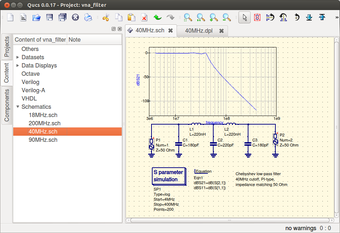
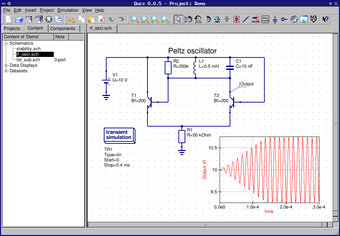
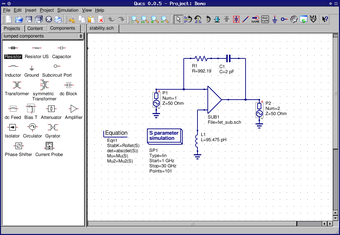
The application’s graphical user interface (GUI) shows the menu and the icons on the upper part and the projects, content, and components are located on the left side. On the other hand, the diagram is on the right side of the user interface. In this way, users can easily create a project, visualize data schematically, and present it in great detail.
While this free software is jam-packed with many features, this software is still a work in progress. There is still a great deal to be done for improvements — namely the graphics, programming, excellent schematic samples, tutorials for the website, and more. Nonetheless, it can still be used by both beginners and professionals. Having said all that, this program has a learning curve.
For beginners and professionals
Overall, Qucs is a simulation software perfect for beginners and professionals alike, as it allows its users to compose a circuit design with its GUI in complete detail and present it on a presentation page or window. Although this program is loaded with a bunch of helpful features, it is still in the process of being completed, and there are still many things to be improved.



.png)